
Now, you can import and export entire or partial courses in PlanSafe, allowing you to easily move content from one PlanSafe to another!
How to Import a Course
- Go to Setup -> Courses.
- Click the Import Button at the top-right of the page.
- Upload the previously exported course and save.
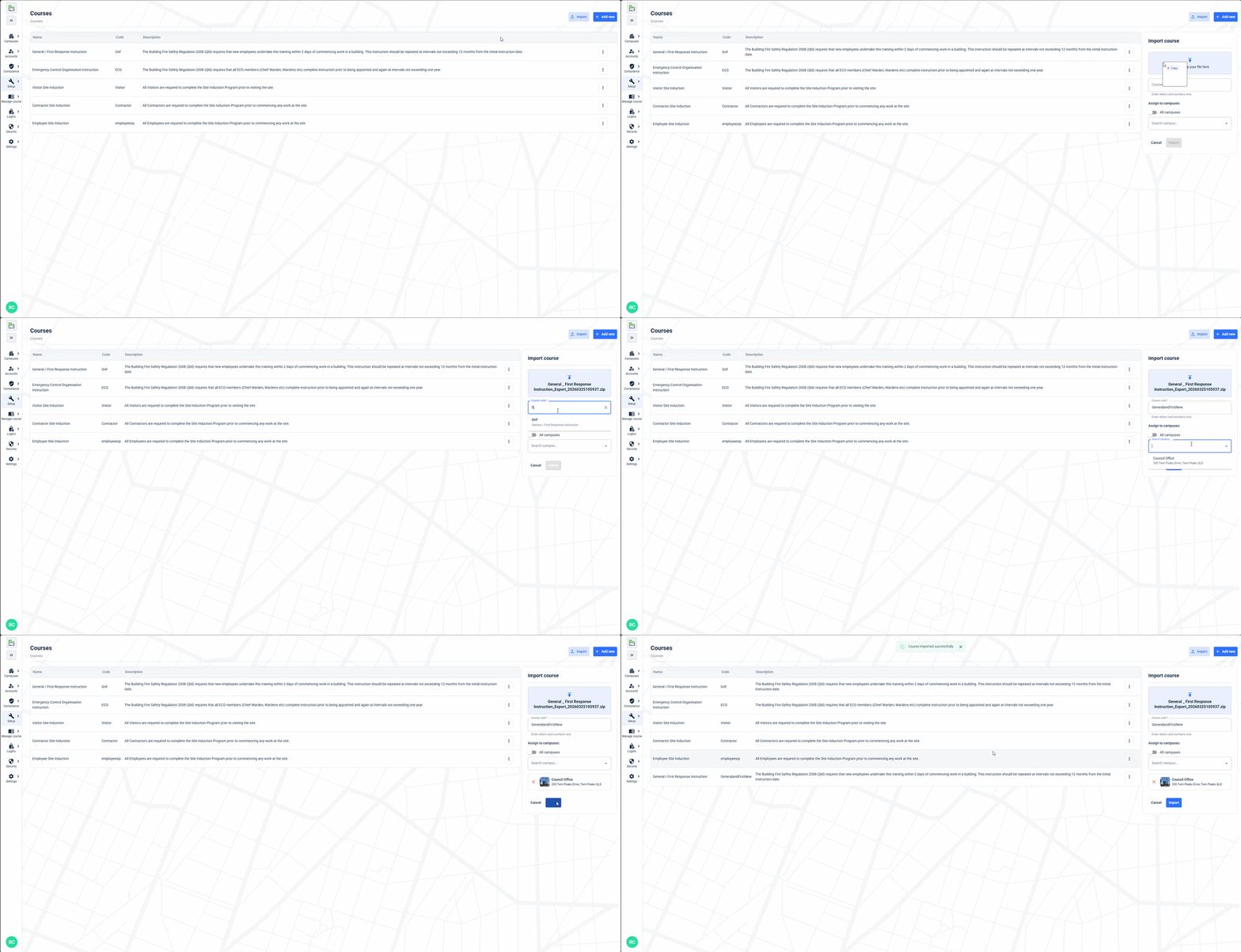
When importing a course, you can select an existing course from the dropdown list which will overwrite any matching navigations that match in that existing course, or create it as a whole new course by typing in a new course code. You can also select the locations to apply the new course to on creating using the dropdown list.
How to Export a Course
- Go to Setup -> Courses.
- Find the course you want to export, and click the Export option under the course settings.
- Select which course content you want to export, and click the Export button top-right.
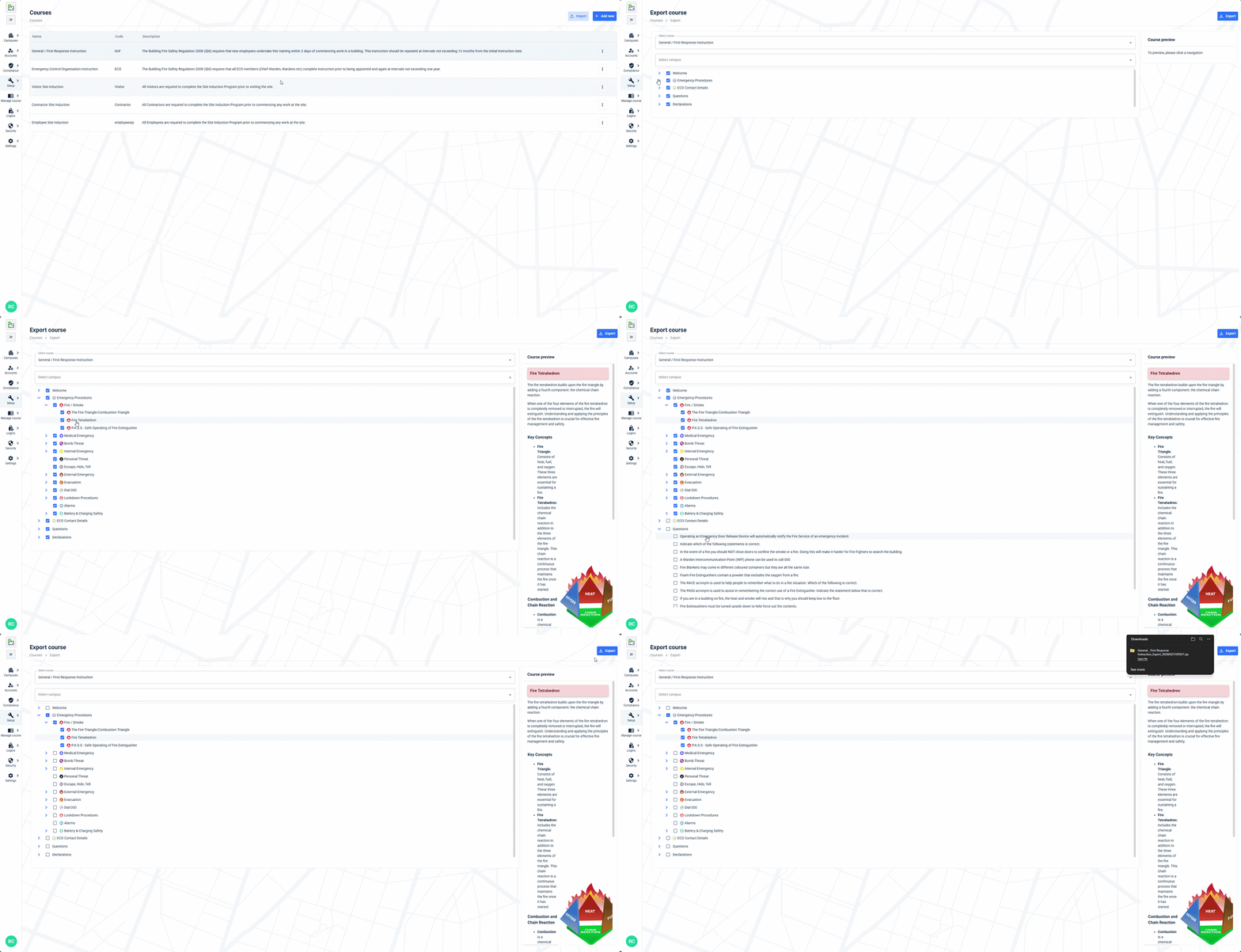
When you're exporting a course, you can click on the navigation names to preview the content. You can export content, questions, and declarations. You can also specify a campus up the top that you want to export from if you would also like to include custom content from that campus in your export.